

Autonomous Mode Checklist
- For autonomously scaling, Thoras requires the ability to persist historical metrics, which requires a Kubernetes persistent volume. See Persistent Storage for a walkthrough
- Forecast worker capacity scales automatically as you enroll more workloads. If you need to pin a fixed pool size, see Forecast worker capacity
- Deploying Thoras with ArgoCD? Check out the ArgoCD config considerations
-
[Optional]
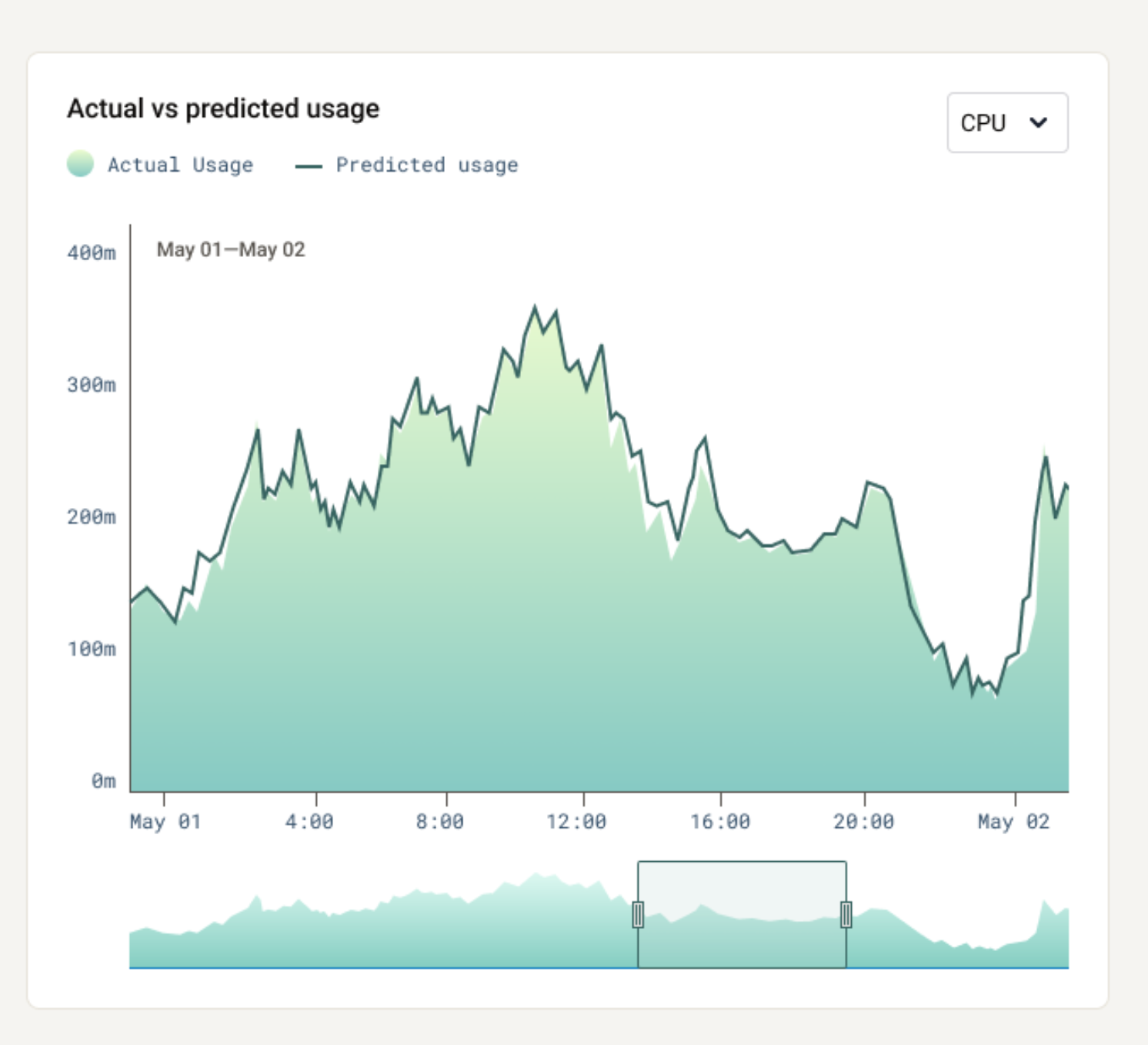
kubectlport-forwarding is a great way to experiment, but you may eventually want to expose the dashboard service internally to enable broader, more stable access. You can do this by enablingIngressvia$.Values.thorasDashboard.ingressorGatewayAPIvia$.Values.thorasDashboard.gatewayAPI. See GitHub for further documentation - Check predictions in the dashboard - confirm metric suggestions for your workload are accurate. The Thoras reasoning engine typically needs to see a pattern twice to learn about it; so model performance can take between a few minutes to a few days to reach maximum accuracy.
-
Wait for sufficient historical data - Autonomous scaling requires at
least 24 hours of historical data by default before it can be enabled. This
ensures enough data confidence for safe scaling decisions. Configure the
default via the Helm value
thorasForecast.minLookbackToScale, or override it per-AST viamodel.min_lookback_to_scalein the AST definition. - Understand application behavior - for vertical scaling, ensure the workload and its dependencies can handle periodic restarts. See the vertical pod rightsizing and aiscaletarget pages for an overview of scaling and restart configuration options.
-
Choose a scaling direction - only one scaling direction (horizontal or
vertical) can be in autonomous mode at a time. Choose the direction that best
fits your workload:
- Horizontal for workloads with variable traffic patterns that need to scale the number of replicas to handle demand spikes.
- Vertical for workloads with more predictable resource patterns that
benefit from optimized CPU and memory requests to improve cluster
utilization and reduce costs. Note: before enabling
Autonomous Mode, verify no competing vertical autoscaling controllers are modifying pod resource requests for the same workloads. Running multiple controllers that attempt to adjust pod resource allocation can lead to unstable behavior, oscillation, or conflicting decisions.